ErGear
DesksErGear 48×24 Electric Standing Desk Guide: Is It Good for Small Spaces?
Official-spec guide · not hands-on
Use the decision points below to compare fit, compatibility, ownership trade-offs, and the exact current listing.
Different product · verified alternative
Okin 36×24 Electric Standing Desk with Wheels
The exact reviewed listing is paused; this button is for the named alternative above.
Current price & availability · purchase link
Open the named listing to compare the live price, availability, delivery, seller, and return terms.
A buyer-focused review of ErGear's 48-by-24-inch electric standing desk with wheels, covering small-room fit, monitor distance, seated height, wheel stability, cable travel, and the exact listing configuration.
Amazon purchase link paused after a listing check
The exact recorded desk did not have a current US offer. Observed on 2026-07-29: Currently unavailable for New York 10001. We will restore a purchase button only after the exact product and attribution path are verified again.
Decide before the product image
- Best for
- A compact sit-stand workstation that occasionally needs to move
- Verify on Amazon US
- Confirm ASIN B0FH4RDV1Q, 36-inch size, With Wheels configuration, color, seller, live price, delivery, and returns.
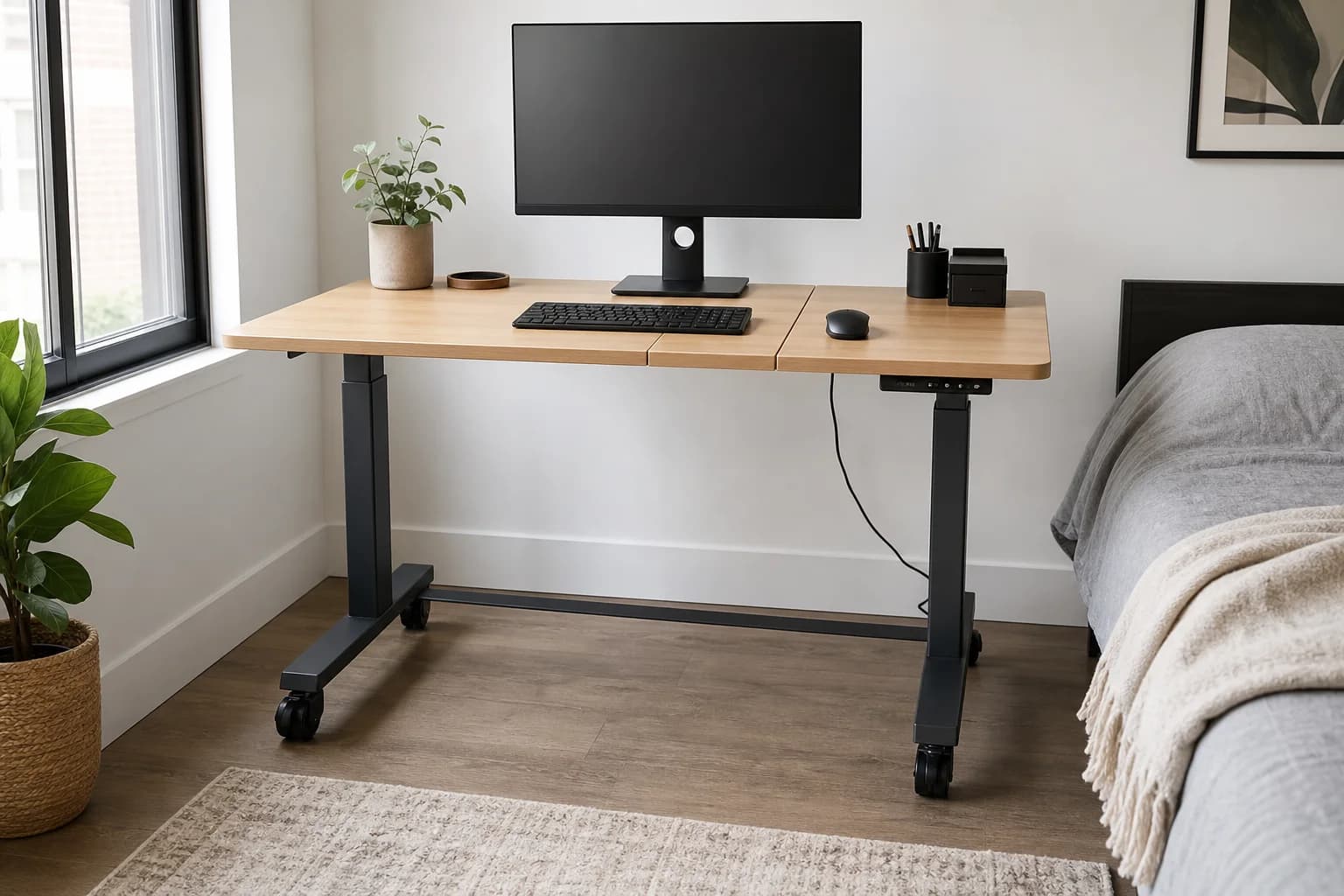
Editorial image for visual context; the linked listing may have a different product appearance or configuration.
Direct answer to the buying question
Is a 48×24 ErGear standing desk large enough for a small office?
A 48×24 top can work for one monitor or a compact dual-screen layout when the keyboard, arm clamp, wall clearance, and walking path are measured together. Skip it when large speakers, deep monitor stands, or paper-heavy work need more depth.
Continue this decision
Decision 1
FlexiSpot E7 Mini vs ErGear 48×24: Fixed or Rolling Desk?
Choose FlexiSpot E7 Mini for a compact fixed workstation, or ErGear 48×24 for a larger rolling surface. Compare height, clamp fit, and room clearance.
Decision 2
48-Inch vs. 55-Inch Desk for a Home Office
Compare the usable width of a 48-inch and 55-inch desk against your screens, input devices, room clearance, and actual seated viewing distance.
Decision 3
Small Standing Desks: 3 Compact and Narrow Picks
Compare three compact standing desks for bedrooms and apartments by footprint, depth, wheels, monitor placement, cable travel, and stability.
Decision 4
FlexiSpot E7 Mini Guide: Dimensions, Height & Small-Desk Fit
FlexiSpot E7 Mini dimensions, height range, load rating, presets, and the fit checks that matter in a bedroom, closet office, or narrow workstation.
Decision 5
Home Office Cable Management Upgrades
Cable management is not just about looks: it affects cleaning, standing-desk movement, laptop docking, and whether a setup stays usable after the first week.
Related search answers
Official-spec guide · not hands-on
Use the decision points below to compare fit, compatibility, ownership trade-offs, and the exact current listing.
Quick verdict
Best fit
A compact sit-stand workstation that occasionally needs to move
Main upside
48×24-inch footprint fits many bedrooms and shared rooms
Check first
A split desktop has seams and more assembly alignment
What matters most
- Updated
- July 30, 2026
- Decision scope
- Fit, compatibility, ownership, and current-listing checks
- Version risk
- Measure the room path, chair pullout, closet and door clearance, not only the desktop footprint
- Price or bundle risk
- Buying links are being updated; confirm seller and return window before purchase
Current product and listing
- Current listing
- Amazon ASIN B0B6JJKSNM
- Product name
- ErGear 48×24 Electric Standing Desk with Wheels
- Model or bundle
- ErGear 48×24 Electric Standing Desk with Wheels
- Confirm before buying
- Measure the room path, chair pullout, closet and door clearance, not only the desktop footprint
- Live buying conditions
- Verify live price, coupon, stock, shipping, and return window
What can change before checkout
- Page updated
- July 30, 2026
- Exact product
- Amazon ASIN B0B6JJKSNM
- Price and availability
- Buying links are being refreshed
- Seller and returns
- Confirm the selected seller, included bundle, warranty path, and return terms before ordering
Product facts
- Exact product
- ErGear 48×24 Electric Standing Desk with Wheels
- Brand
- ErGear
- Best use case
- A compact sit-stand workstation that occasionally needs to move
- Category
- desks
- ASIN
- B0B6JJKSNM
- Price band
- $$
Compatibility checks
- Measure the room path, chair pullout, closet and door clearance, not only the desktop footprint
- Confirm the lowest usable keyboard height after installing the casters
- Check the underside frame and seam before choosing a monitor-arm clamp position
- Keep power and display cables clear through the full height and rolling range
Key specifications
| Spec | Value to verify |
|---|---|
| ASIN | B0B6JJKSNM |
| Desktop | 48 × 24 inches; split-board construction in the linked listing |
| Base | Electric sit-stand frame |
| Controls | Memory controller listed |
| Mobility | Casters / wheels listed |
| Before buying | Confirm height range, load rating, top finish, warranty, and included hardware |
Fit decision guide
Best when
Your priority is a compact sit-stand workstation that occasionally needs to move and the exact listing matches the specs below.
Main trade-off
A split desktop has seams and more assembly alignment
Also compare
Choose FlexiSpot E7 Mini when frame stiffness and a more permanent setup matter more than wheels.
Confirm before checkout
Measure the room path, chair pullout, closet and door clearance, not only the desktop footprint
Bottom line
This ErGear is worth comparing when a compact desk must move between rooms or clear a shared space. A fixed-foot desk is the safer choice when maximum stability, a heavy monitor arm, or a one-piece top matters more than mobility.
Why it matters
Casters solve a real layout problem but raise the work surface and create another movement point. The useful question is not whether the desk rolls; it is whether the locked desk remains stable at the user's standing height with the complete monitor and cable setup.
The wheels change desk height and stability
Casters can make a shared room more flexible, but they add height and another mechanical connection below the frame. Confirm the desk can still reach a neutral seated keyboard height and test all wheel locks before loading the desktop.
Twenty-four inches of depth needs a screen plan
A stock monitor stand can consume much of a 24-inch-deep top. A compatible arm may recover space, but the split top, underside frame, clamp clearance, monitor weight, and desk movement all need checking together.
Treat the Amazon listing as the configuration source
ErGear sells closely related sizes, colors, frames, and tops. This guide is tied to ASIN B0B6JJKSNM and the 48×24 listing with wheels; confirm every live dimension, capacity, seller, and warranty term before checkout.
Who should skip it
Skip it when the workstation supports a very heavy display, must feel immovable while typing, or needs a seamless one-piece work surface. Fixed feet and a stiffer frame are usually a better foundation for those priorities.
Where it wins
- 48×24-inch footprint fits many bedrooms and shared rooms
- Included wheels support occasional workstation movement
- Memory controls reduce daily sit-to-stand adjustment friction
Trade-offs
- A split desktop has seams and more assembly alignment
- Wheels can increase height and movement compared with fixed feet
- The live listing must be checked for current height range, capacity, warranty, and exact top
What to verify
- Measure the room path, chair pullout, closet and door clearance, not only the desktop footprint
- Confirm the lowest usable keyboard height after installing the casters
- Check the underside frame and seam before choosing a monitor-arm clamp position
- Keep power and display cables clear through the full height and rolling range
Who should buy it
Consider ErGear 48×24 Electric Standing Desk with Wheels if your priority is a compact sit-stand workstation that occasionally needs to move and you want a product that fits your home-office setup without adding unnecessary complexity.
Also compare
- Choose FlexiSpot E7 Mini when frame stiffness and a more permanent setup matter more than wheels.
- Choose a fixed-height desk when standing adjustment would rarely be used.
- Use a mobile laptop cart when the entire desktop does not need to travel.
Compare nearby options
| Product | Best for | Check first | Price band | Exact listing |
|---|---|---|---|---|
| ErGear 48×24 Electric Standing Desk with Wheels | A compact sit-stand workstation that occasionally needs to move | A split desktop has seams and more assembly alignment | $$ | ASIN B0B6JJKSNM |
| FlexiSpot E7 Mini Standing Desk | Bedrooms, closet offices, and narrow work corners | A compact top leaves limited room for two monitors, a printer, or large speakers | $$$ | ASIN B0F9X3FDYY |
| UPLIFT V3 Standing Desk | Long-term workstations with heavier monitors and accessories | Requires more room than a true compact desk | $$$$ | desks |
FlexiSpot
FlexiSpot E7 Mini Standing Desk
Bedrooms, closet offices, and narrow work corners
UPLIFT Desk
UPLIFT V3 Standing Desk
Long-term workstations with heavier monitors and accessories
Related setup guides
desks
Standing Desk Casters: Height, Stability & Cable Checklist
Decide whether wheels help a shared room without making seated height, monitor movement, cable travel, or floor protection worse.
desks
Standing Desk Converter Buying Guide: Work Surface, Lift Range, and Stability
Choose a desktop sit-stand converter by existing desk strength, keyboard and monitor geometry, lift path, usable surface, stability, and the seated setup it leaves behind.
Comparisons featuring this product
Comparison
Standing Desk for Small Spaces: 3 Compact Picks
Compare three compact standing desks for bedrooms and apartments by footprint, depth, wheels, monitor placement, cable travel, and stability.
Comparison
FlexiSpot E7 Mini vs ErGear 48×24: Fixed or Rolling Desk?
Choose FlexiSpot E7 Mini for a compact fixed workstation, or ErGear 48×24 for a larger rolling surface. Compare height, clamp fit, and room clearance.
Version and price risk
Treat the exact listing as part of the product. Confirm the model number, hardware revision, included accessories, seller, coupon state, and return path before checkout.
Before you buy
- Measure the room, desk edge, chair path, monitor position, cable travel, and outlet location before ordering.
- Confirm the exact retailer listing, seller, configuration, dimensions, return window, and warranty path.
- For body- or equipment-fit products, keep the packaging until the complete workstation has been tested.
- Check for recurring quality-control patterns after confirming the exact model.
Sources and methodology
We have not tested this product ourselves. This guide uses current manufacturer documentation and listing checks to identify fit, compatibility, version, and purchase risks.
References checked
- OSHA computer workstation positions — Primary neutral-position and workstation-adjustment guidance.