Deskwise Picks
Browse
Desks

Best Dual-Monitor Docks for Mac and Windows

Current retailer option

Plugable USB-C Dual HDMI Docking Station, USBC-6950PDZ

Best for two office displays on base m-series macs that allow displaylink software. Open the listing to compare the live price, availability, delivery, seller, and returns.

Check current price & availability on Amazon

Current price & availability · purchase link

Review details

Choose a dual-monitor dock by exact Mac chip, native Thunderbolt display support, DisplayLink permission, protected-video needs, charging, and Ethernet speed.

Updated July 22, 2026

Start with the computer, not the dock. Base M1 and M2 Macs need a DisplayLink path for two external office screens; compatible Pro, Max, newer base Mac, Thunderbolt 4, Thunderbolt 5, and USB4 systems can use native display streams when their exact specifications allow it.

Quick answer

Start with Plugable USBC-6950PDZ DisplayLink Dock if your main need is two office displays on base m-series macs that allow displaylink software. Compare the trade-offs before buying, especially requires displaylink software; macos requires screen-recording permission.

Related search answers

How links work: As an Amazon Associate I earn from qualifying purchases, at no extra cost to you.

Prices, availability, shipping, coupons, and seller details can change. Always confirm the current product listing and return policy before buying.
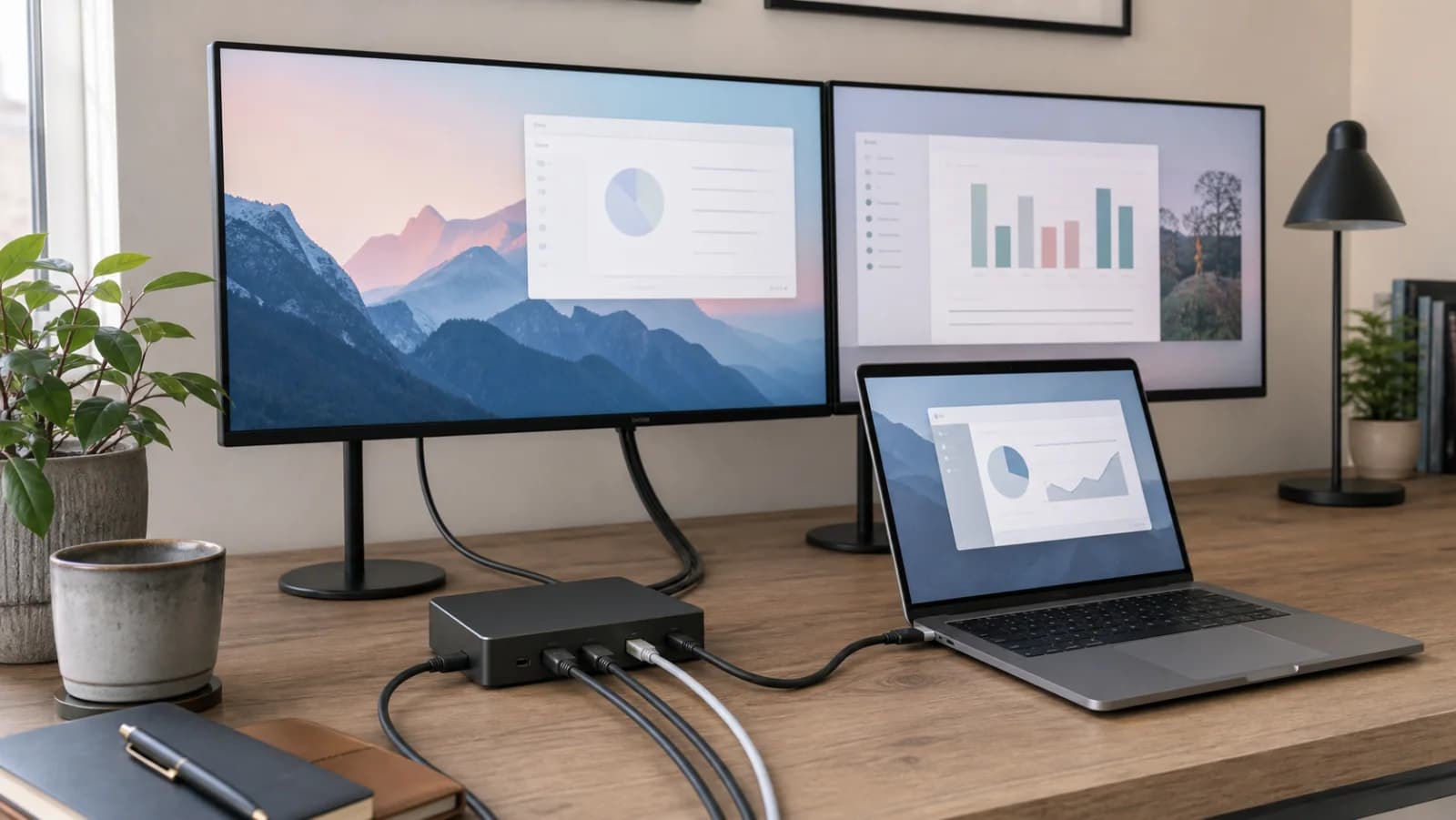
Quick comparison

Start here if you already know the job you need the product to solve.

1

Plugable

Plugable USB-C Dual HDMI Docking Station, USBC-6950PDZ

Best for

Two office displays on base M-series Macs that allow DisplayLink software

Check first

Requires DisplayLink software; macOS requires screen-recording permission

Facts

ASIN B0BKLT853Z · desks

2

Plugable

Plugable Thunderbolt 4 Dock, TBT4-UD5

Best for

Compatible Thunderbolt 4 or USB4 laptops needing driverless dual 4K60 HDMI

Check first

Base M1 and M2 Macs remain limited to one external display

Facts

ASIN B0CNTTVVN6 · desks

3

CalDigit

CalDigit TS4 Thunderbolt 4 Dock

Best for

Premium native Thunderbolt desks with 2.5GbE and many peripherals

Check first

Premium price is wasted when most ports remain empty

Facts

ASIN B09GK8LBWS · desks

4

Anker

Anker 675 USB-C Docking Station (12-in-1, Monitor Stand, Wireless)

Best for

One-monitor desks that need a powered stand and cable cleanup

Check first

Supports only one external monitor

Facts

ASIN B0BNZ4D72B · desks

Compare the current options

Match the exact model, bundle, seller, coupon, and return window before choosing between the picks.

PickKey fit detailsExact listingWhat can changeUpdated
Plugable USB-C Dual HDMI Docking Station, USBC-6950PDZModel: USBC-6950PDZ · Display: 2 x HDMI, up to 4K60 through DisplayLinkASIN B0BKLT853ZConfirm ASIN B0BKLT853Z, DisplayLink model, seller, charger inclusion, delivery, and return terms.July 22, 2026
Plugable Thunderbolt 4 Dock, TBT4-UD5Model: TBT4-UD5 · Host: Thunderbolt 4, Thunderbolt 5, or USB4 for full dual-display pathASIN B0CNTTVVN6Confirm ASIN B0CNTTVVN6, host-chip support, seller, delivery, and return terms.July 22, 2026
CalDigit TS4 Thunderbolt 4 DockModel: TS4 · Ports: 18 total listedASIN B09GK8LBWSConfirm ASIN B09GK8LBWS, TS4, regional power supply, seller, delivery, and return terms.July 22, 2026
Anker 675 USB-C Docking Station (12-in-1, Monitor Stand, Wireless)Device type: 12-in-1 USB-C docking station and monitor stand · Display: 1 x HDMI, up to 4K60; USB-C ports do not output videoASIN B0BNZ4D72BConfirm ASIN B0BNZ4D72B, one-monitor limit, 180W adapter, regional plug, seller, and return terms.July 22, 2026

Quick picks by situation

Base M1 or M2 Mac

Use Plugable USBC-6950PDZ if DisplayLink software and its workload limits are acceptable.

Compatible native dual-display host

Use Plugable TBT4-UD5 for two HDMI screens and a balanced permanent desk.

Premium 2.5GbE desk

Use CalDigit TS4 when its deeper port set and 98W charging will be used.

Only one monitor

Keep or compare Anker 675 when monitor-stand organization matters more than dual display.

DisplayLink solves count with software

USBC-6950PDZ can drive two office displays on systems with a native one-display limit, but it requires software and creates HDCP, managed-device, gaming, and media-work limitations.

Native Thunderbolt preserves the direct display path

TBT4-UD5 and TS4 avoid a DisplayLink capture layer, but they cannot manufacture a second native video stream. The exact host chip remains the gate.

Ports decide between the two native docks

Choose TBT4-UD5 for two convenient HDMI ports and a balanced 13-port desk. Choose TS4 when 2.5GbE, 98W charging, fast storage, audio, and broader expansion justify the higher cost.

How to choose without overbuying

When to spend more

Spend more when stability, height range, cable movement, and desktop depth affect every workday.

When to spend less

Spend less when the desk is secondary, the setup is laptop-only, or accessories can solve the main constraint.

Compare these details first

Desktop depth and room path
Height range
Cable slack
Assembly and return path

Related setup and buying guides

Plugable USB-C Dual HDMI Docking Station, USBC-6950PDZ

Plugable

Plugable USB-C Dual HDMI Docking Station, USBC-6950PDZ

A DisplayLink-based dual-HDMI dock for two extended 4K60 office displays, including base M-series Mac support, driver and screen-recording permissions, 82W host charging, and protected-video or gaming limitations.

Best for: Two office displays on base M-series Macs that allow DisplayLink software

Main caution: Requires DisplayLink software; macOS requires screen-recording permission

Plugable Thunderbolt 4 Dock, TBT4-UD5

Plugable

Plugable Thunderbolt 4 Dock, TBT4-UD5

A driverless 13-port Thunderbolt 4 dock with two HDMI outputs, dual 4K60 support on compatible hosts, 100W power delivery with 96W certified, Gigabit Ethernet, and exact Mac-chip limits.

Best for: Compatible Thunderbolt 4 or USB4 laptops needing driverless dual 4K60 HDMI

Main caution: Base M1 and M2 Macs remain limited to one external display

CalDigit TS4 Thunderbolt 4 Dock

CalDigit

CalDigit TS4 Thunderbolt 4 Dock

A premium 18-port Thunderbolt 4 dock with 98W host charging, 2.5GbE, DisplayPort, downstream Thunderbolt, extensive USB and audio, and host-dependent dual-display support.

Best for: Premium native Thunderbolt desks with 2.5GbE and many peripherals

Main caution: Premium price is wasted when most ports remain empty
Anker 675 USB-C Docking Station (12-in-1, Monitor Stand, Wireless)

Anker

Anker 675 USB-C Docking Station (12-in-1, Monitor Stand, Wireless)

A 12-in-1 powered monitor stand and one-monitor USB-C dock with wireless charging, up to 100W laptop charging, a 180W adapter, and a strict single-HDMI display limit.

Best for: One-monitor desks that need a powered stand and cable cleanup

Main caution: Supports only one external monitor

FAQ

Can every USB-C dock run two monitors?

No. The host, chip, port protocol, native video streams, dock technology, operating system, cables, and monitor inputs all matter. Two HDMI sockets are not proof.

How do I run two monitors on a base M1 or M2 MacBook?

A DisplayLink dock such as USBC-6950PDZ can provide software-driven office displays when its driver, permission, HDCP, and workload limits are acceptable. Native docks remain one-display paths on those chips.

Is DisplayLink as good as Thunderbolt?

It solves a different problem. DisplayLink is useful for office screen count; native Thunderbolt is preferable for protected video, motion, media, low software overhead, and hosts that already support two displays.

Does base M3 support two monitors?

Current vendor guidance generally requires clamshell mode for the base M3 dual-display path. Confirm the exact Mac and current Apple or dock-vendor documentation before buying.

Sources and methodology

  • Pinned every recommendation to an exact model and Amazon identity
  • Separated DisplayLink software outputs from native Thunderbolt video streams
  • Used current manufacturer host-chip and display matrices
  • Included driver, HDCP, charging, cable, Ethernet, and return-window risks
Best Dual-Monitor Docks for Mac and Windows by Chip Type