Under-Desk Drawer Buying Guide: Knee Clearance, Mounting, and Load
Current retailer option
SVNNELP Under Desk Table Drawer Storage Organizer,3 Pack Large & Medium & Small Slide Out Desk Drawers - Hidden Desktop Organizer,Attachable Pencil Storage Tray Under Table(SML)
Open the exact family listing to compare the live price, availability, delivery, seller, and returns.
Choose a hidden desk drawer by internal storage, external depth, knee and thigh clearance, frame and motor conflicts, desktop construction, fasteners, slide travel, load, and cable safety.
Prepared by the Deskwise Picks editorial deskUpdated August 11, 2026
Quick answer
The practical answer
Inventory the items first, then mock the drawer's full external box and open travel under the desk at seated and standing heights. Verify thigh clearance, chair-arm movement, frame, control box, motors, cable tray, and cable loops. Confirm desktop material and screw depth before drilling. Choose the shallowest drawer that organizes the intended items and opens fully without becoming a load or pinch hazard.
Common buying question
Can I add an under-desk drawer to a standing desk without hitting my knees, crossbar, cable tray, or desktop wiring?
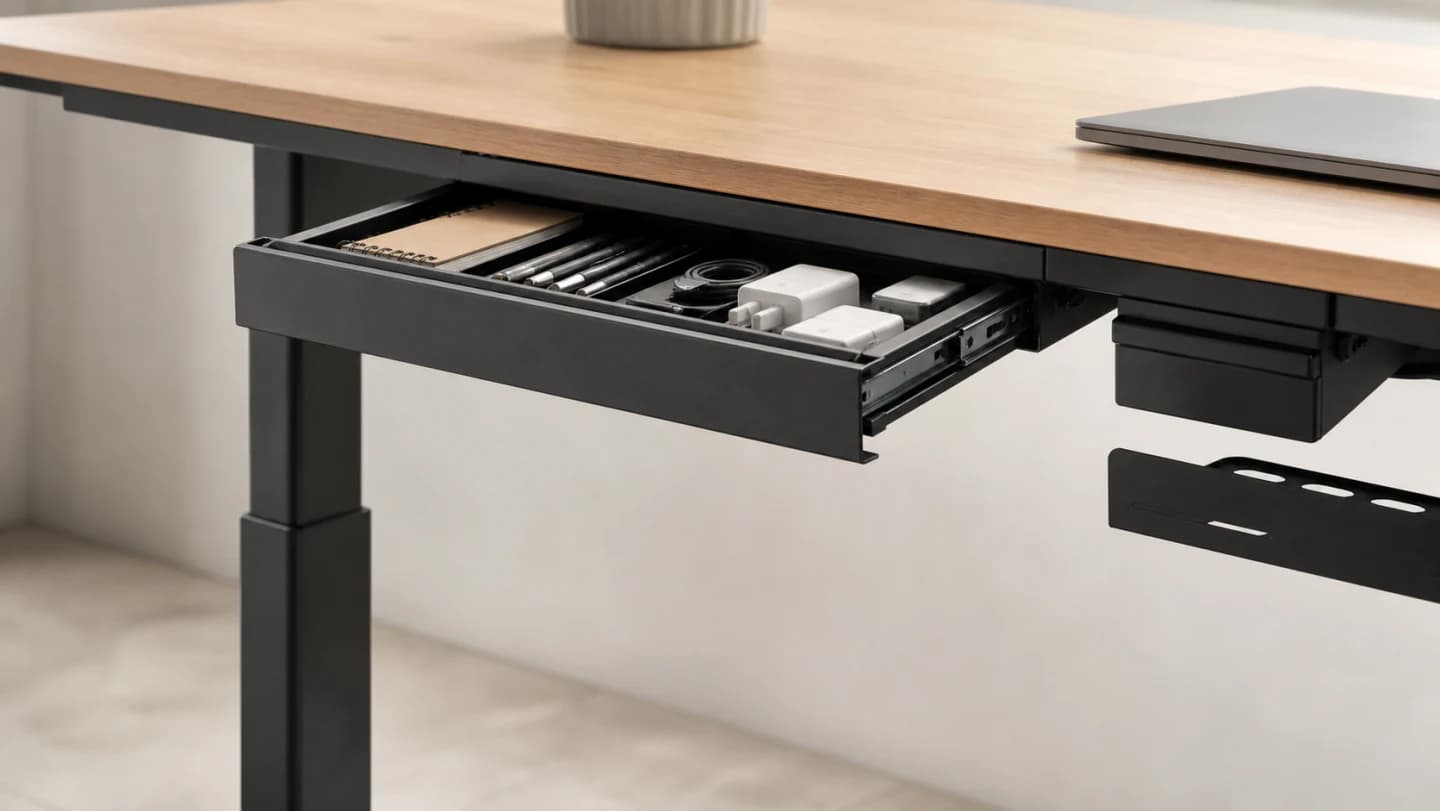
Original editorial image for category, fit, and use context; verify the exact linked product appearance and configuration on the retailer page.
Choose storage from real objects
Place pens, chargers, notebooks, glasses, keys, or devices in one group and measure the largest item. A shallow drawer is easier to fit and less likely to become heavy clutter. Check internal dimensions, dividers, and opening width; a nominally wide drawer can have a narrow mouth or lock hardware that prevents the intended object from entering.
Mock the external box and open path
Use cardboard to represent the drawer body, mounting flange, handle, and full extension. Sit, stand, cross legs, move the chair, reach controls, and open the drawer with both hands. Check thighs and knees at the lowest desk height. A center location may be ergonomic for access but conflicts with the exact space the user's legs need.
Map every underside occupant
Locate crossbars, lifting columns, motors, control boxes, keypads, power strips, cable trays, CPU mounts, reinforcement plates, and moving cable loops. Run the desk through its complete travel with the mock-up attached. Maintain manufacturer clearances and avoid creating a drawer edge that catches a cable or blocks emergency access to power.
Match fasteners to the desktop
Obtain top material and thickness and identify approved mounting zones. Supplied screws may be unsuitable for a thin, hollow, glass, stone, or composite top. Use a depth stop and correct pilot hole only when permitted. Adhesive-mounted drawers avoid holes but still depend on surface preparation, temperature, adhesive rating, load, and a safe failure path.
Load and inspect progressively
Check slide stops, sharp edges, lock operation, and pinch points before loading. Add weight gradually and open the drawer fully while observing flex. Recheck screws or adhesive after the first week and periodically thereafter. Keep heavy objects out of a drawer mounted over legs, and do not use an open drawer as a handle for moving or lifting the desk.
Current Amazon option
Check this exact product
SVNNELP Under Desk Table Drawer Storage Organizer,3 Pack Large & Medium & Small Slide Out Desk Drawers - Hidden Desktop Organizer,Attachable Pencil Storage Tray Under Table(SML)
ASIN
B0CX9GS4BC
Brand
SVNNELP
Listing checked
8/11/2026
Compare the current title, ASIN, variant, seller, stock, shipping, price, and return path before ordering.
Exact US listing reference. Confirm the selected variation, seller, included parts, live availability, and any applicable recall notice before buying.
Public owner context
Questions to answer before buying
Community discussions help surface installation, fit, maintenance, and failure questions. They are anecdotal context, not product specifications or a substitute for current instructions.
Used to locate real owner questions and failure reports that shape the inspection checklist. Anecdotes are not presented as measured product tests or copied as endorsements.
Research notes
How we evaluated these choices
1.Lay out the actual items and choose internal dimensions from the largest necessary object, not aspirational storage.
2.Build a cardboard mock-up of the full external drawer and slide travel beneath the desk.
3.Inspect desktop construction and map frame, motors, controls, power, cable tray, and fastener-safe zones.
4.Install to specification, cycle the desk and drawer unloaded, then load gradually and recheck hardware and clearance.