Under-Desk CPU Holder Buying Guide: Case Fit, Airflow, and Desk Strength
Current retailer option
VIVO Black Under Desk and Wall Office PC Mount, MOUNT-PC01 | 3.5 to 7.8 inch Wide Adjustable Computer Mount, CPU Case Machine Holder Stand, Swivel and Secure Locking, Holds 22 lbs
Open the exact family listing to compare the live price, availability, delivery, seller, and returns.
Choose a suspended PC mount by case width, height, weight, vent pattern, cable travel, desk material, screw depth, standing-desk motion, service access, and release design.
Prepared by the Deskwise Picks editorial deskUpdated August 11, 2026
Quick answer
The practical answer
Measure the case at feet, bulges, filters, and ports; weigh the configured computer; map every intake and exhaust; and inspect the desktop core and screw allowance. Choose a mount with verified load and adjustment range that captures the case without covering vents. Leave a full cable loop for maximum desk travel and enough clearance to remove filters and side panels without unloading the mount dangerously.
Common buying question
Can I safely mount my desktop PC under a standing desk without blocking airflow or damaging the desktop?
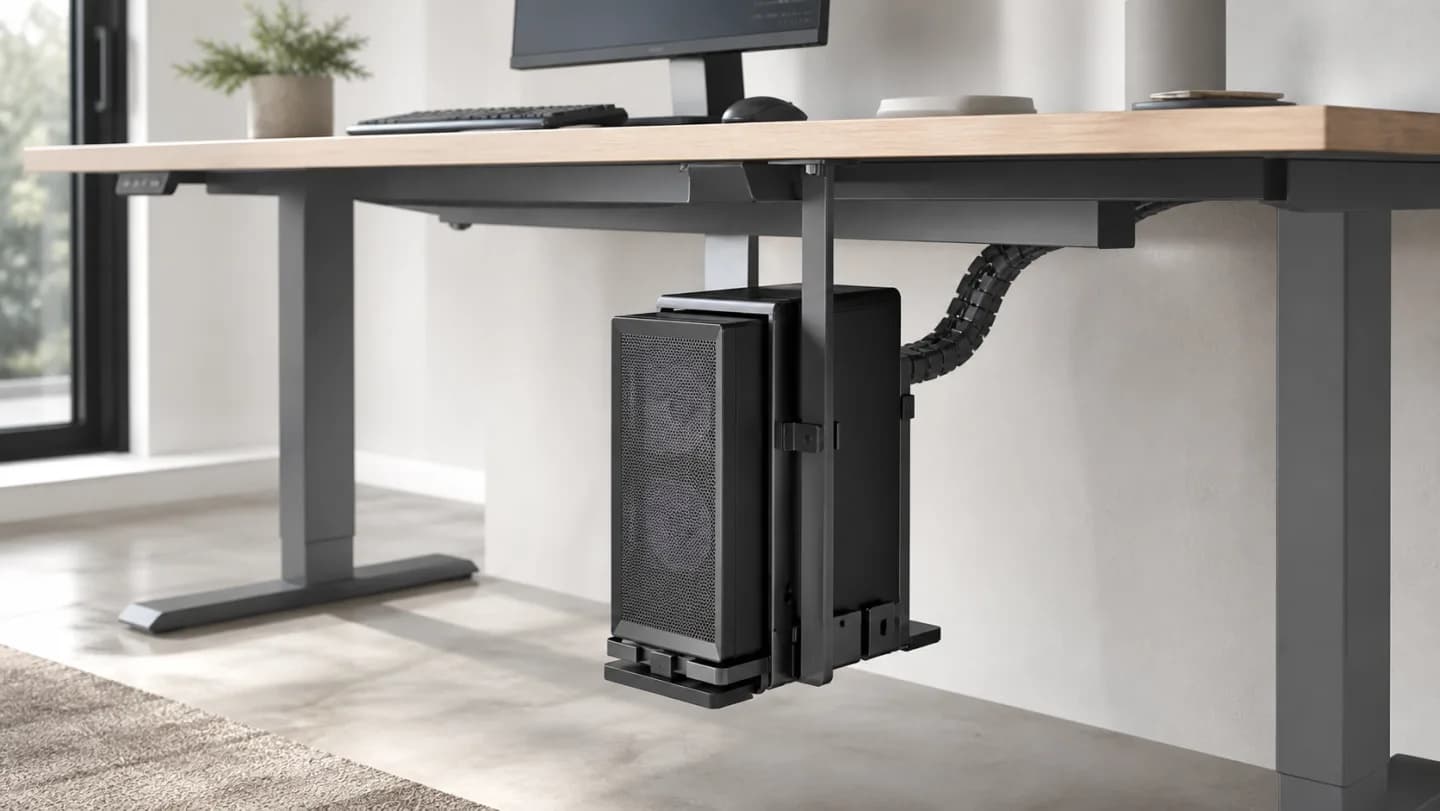
Original editorial image for category, fit, and use context; verify the exact linked product appearance and configuration on the retailer page.
Measure the configured case in three dimensions
Include feet, filters, screws, side-panel handles, glass lips, front bulges, top radiators, rear cables, and any desk-facing ports. Weigh the complete computer rather than using the empty chassis specification. Compare the mount's adjustable width and height together; some holders fit one dimension only by placing a plate or strap across a vent.
Trace cooling before choosing contact points
Mark every intake and exhaust and the clearance required to remove dust filters. The mount should support strong case areas without covering mesh or pressing on tempered glass. Recheck temperatures and fan behavior after installation. Raising a case off carpet may help airflow, but placing it tight against the desktop can restrict a top radiator or exhaust.
Verify the desktop can accept the mount
Inspect material, thickness, internal frame and reinforcement, and ask the desk maker where fasteners are allowed. Hollow-core, particleboard, bamboo laminates, and solid wood behave differently. Use only appropriate supplied or approved hardware and a drilling depth that cannot pierce the work surface. When structure is uncertain, a floor stand or frame-mounted solution is safer.
Design the cable loop for motion
Route power, display, USB, audio, Ethernet, and peripherals with strain relief through the full standing-desk travel. Keep slack away from knees, motors, crossbars, drawer slides, and sharp edges. Move the empty desk slowly first, then the mounted system while powered off, and finally under normal operation. A cable tray does not replace a deliberate moving loop.
Plan safe service and removal
Confirm the power button, front ports, filters, side panels, and connectors remain reachable. Understand how straps, adjustment screws, and any swivel release operate while the case is supported. Heavy computers should not be caught unexpectedly above the floor. Keep a padded landing area and a second person available when removal exceeds comfortable one-person handling.
Current Amazon option
Check this exact product
VIVO Black Under Desk and Wall Office PC Mount, MOUNT-PC01 | 3.5 to 7.8 inch Wide Adjustable Computer Mount, CPU Case Machine Holder Stand, Swivel and Secure Locking, Holds 22 lbs
ASIN
B01MEDE9WO
Brand
Brand shown on the Amazon listing
Listing checked
8/11/2026
Compare the current title, ASIN, variant, seller, stock, shipping, price, and return path before ordering.
Exact US listing reference. Confirm the selected variation, seller, included parts, live availability, and any applicable recall notice before buying.
Public owner context
Questions to answer before buying
Community discussions help surface installation, fit, maintenance, and failure questions. They are anecdotal context, not product specifications or a substitute for current instructions.
Used to locate real owner questions and failure reports that shape the inspection checklist. Anecdotes are not presented as measured product tests or copied as endorsements.
Research notes
How we evaluated these choices
1.Measure and weigh the configured computer, then photograph all vents, ports, filters, feet, and glass panels.
2.Obtain the desktop construction and allowed mounting zones before selecting screws or drilling holes.
3.Mock the mount and full cable loop through the desk's entire travel with the computer disconnected.
4.Load and retain the case according to instructions, then test airflow, vibration, service access, and emergency removal.