Deskwise Picks
Browse
Meetings

Best Home Office Lighting for Video Calls in Small Rooms

Current retailer option

Logitech Litra Glow Premium LED Streaming Light with TrueSoft

Best for laptop and monitor-based video calls in dim rooms. Open the listing to compare the live price, availability, delivery, seller, and returns.

Check current price & availability on Amazon

Current price & availability · purchase link

Review details

Choose compact lighting for Zoom, Meet, and Teams calls by face exposure, glare, monitor space, window position, and desk clutter.

Updated July 26, 2026

Small-room video calls usually fail because the camera sees a bright window, overhead shadows, or a dark face. A compact front light can outperform a new webcam when it is placed near the camera and adjusted before meetings.

Quick answer

Start with Logitech Litra Glow if your main need is laptop and monitor-based video calls in dim rooms. Compare the trade-offs before buying, especially does not replace task or room lighting.

How links work: As an Amazon Associate I earn from qualifying purchases, at no extra cost to you.

Prices, availability, shipping, coupons, and seller details can change. Always confirm the current product listing and return policy before buying.

Quick comparison

Start here if you already know the job you need the product to solve.

1

Logitech

Logitech Litra Glow Premium LED Streaming Light with TrueSoft

Best for

Laptop and monitor-based video calls in dim rooms

Check first

Does not replace task or room lighting

Facts

ASIN B097QZGRCQ · meetings

2

Elgato

Elgato Key Light Neo Black with Monitor Mount

Best for

Dedicated face lighting for Zoom, Meet, Teams, and streaming calls

Check first

Monitor or laptop fit must be checked

Facts

ASIN B0FDBL5MVM · meetings

3

Lume Cube

LUME CUBE Edge 2.0 LED Desk Lamp with USB Charging Port and Circle Webcam Light

Best for

Hybrid task lighting and video-call lighting on a fixed desk

Check first

Larger and pricier than compact video lights

Facts

ASIN B0CN7BK69P · meetings

4

BenQ

BenQ ScreenBar Halo 2 LED Monitor Light Bar

Best for

Desk lighting without taking up surface space

Check first

More expensive than basic lamps

Facts

ASIN B0DK59YKRS · meetings

Compare the current options

Match the exact model, bundle, seller, coupon, and return window before choosing between the picks.

PickKey fit detailsExact listingWhat can changeUpdated
Logitech Litra Glow Premium LED Streaming Light with TrueSoftLight type: Compact diffused face light · Primary use: Video calls and streaming near the cameraASIN B097QZGRCQConfirm ASIN B097QZGRCQ, seller, live price, and availability.July 26, 2026
Elgato Key Light Neo Black with Monitor MountLight type: Edge-lit monitor-mounted video light · Brightness: Up to 1000 lumens with USB power per Amazon listingASIN B0FDBL5MVMConfirm ASIN B0FDBL5MVM, mount bundle, USB power needs, and live price.July 26, 2026
LUME CUBE Edge 2.0 LED Desk Lamp with USB Charging Port and Circle Webcam LightLight type: Clamp-on LED desk lamp and webcam light · Listed clamp support: Surfaces up to 3.3 inches thickASIN B0CN7BK69PConfirm ASIN B0CN7BK69P, color, clamp fit, seller, and live price.July 26, 2026
BenQ ScreenBar Halo 2 LED Monitor Light BarLight type: Monitor light bar · Generation: ScreenBar Halo 2ASIN B0DK59YKRSConfirm ASIN B0DK59YKRS, ScreenBar Halo 2, seller, live price, and availability.July 16, 2026

Quick picks by situation

Face is too dark

Start with a compact video light near the camera rather than a desk lamp behind the screen.

Need keyboard light

A monitor light bar helps desk visibility but may not brighten your face enough for calls.

Wear glasses

Prioritize dimming and angle control so the light does not reflect directly into the camera.

Tiny desk

Favor monitor-mounted or behind-monitor placement over lamp bases that consume the work surface.

Side-by-side checks

Small-room video-call lighting comparison

PickLogitech Litra GlowElgato Key Light NeoLume Cube Edge 2.0BenQ ScreenBar Halo 2
Primary jobCompact face lightStronger monitor-mounted face lightTask lamp plus webcam lightKeyboard and desk illumination
Space useMonitor or laptop mountMonitor mountDesk-edge clamp and swing armMonitor-mounted light bar
Main checkMount and camera clearanceMonitor fit and USB powerClamp, wall clearance, and camera angleMonitor shape and face-light expectations
Best forSimple recurring callsDedicated call-light upgradeOne light for desk and meetingsTask lighting without a lamp base

Light the face before the room

Put the first controllable light near or slightly above the camera path, reduce strong backlight from windows, and avoid relying on an overhead fixture alone. The camera needs a readable face, not merely a bright room.

Separate call lighting from task lighting

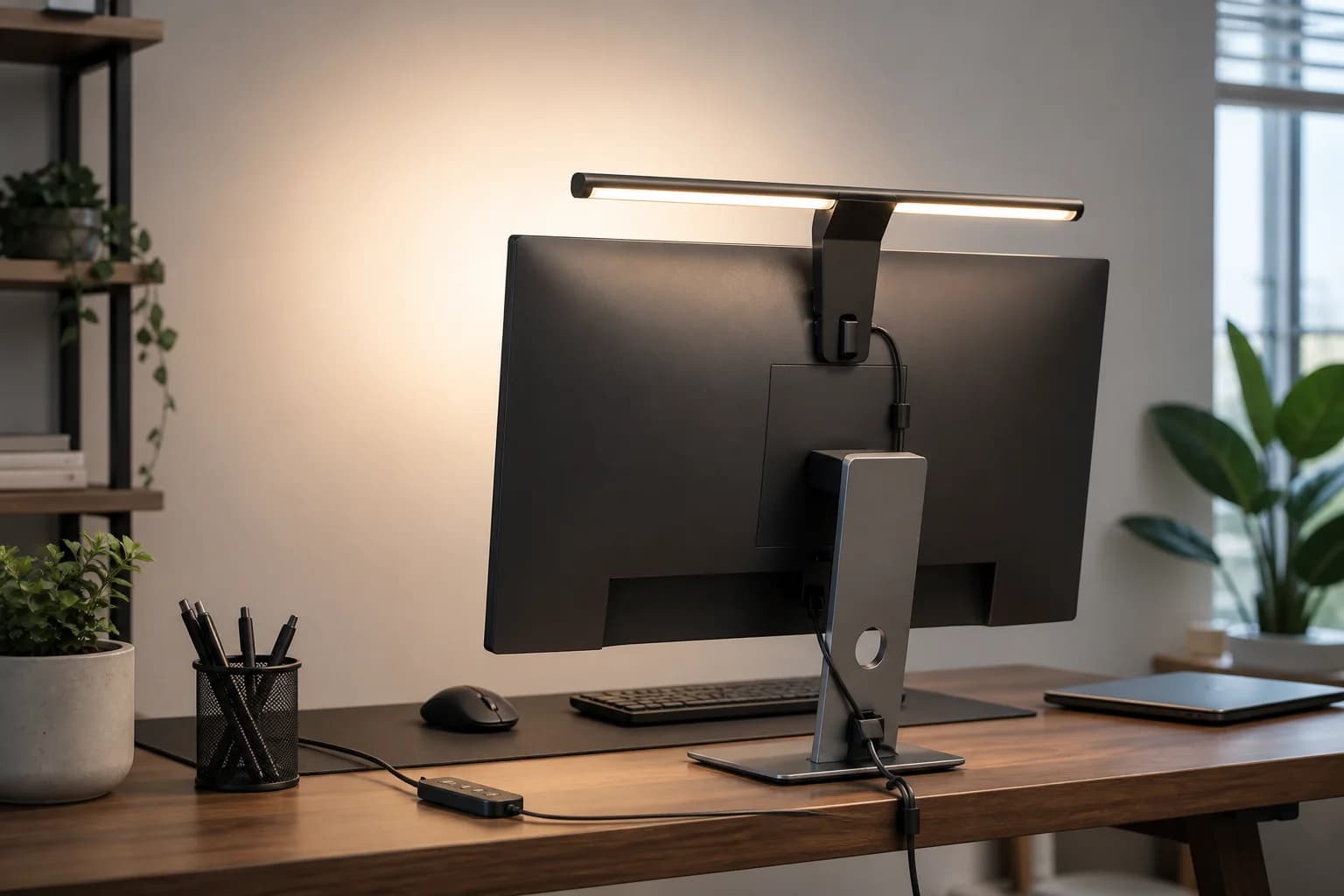
A monitor bar can improve the keyboard and desk surface without adding a lamp base, while a camera-adjacent light is usually better for face exposure. A hybrid swing-arm lamp can do both jobs only when its clamp and reach let it move into the camera path.

Use a repeatable glare test

Join a preview at the times calls actually happen, then check glasses, glossy screens, and bright windows. Lower brightness, raise the light, or move it sideways until reflections leave the camera view without making the face too dark.

Measure mounts and controls before choosing

Check monitor thickness, laptop-lid strength, webcam position, desk-edge clamp clearance, wall space, USB power, and whether brightness controls remain reachable. A compact light that conflicts with the camera or needs an awkward daily setup will not stay useful.
How to choose without overbuying

When to spend more

Spend more when calls are part of the job and better lighting or audio reduces repeated meeting friction.

When to spend less

Spend less when room lighting, camera height, or a simple lamp placement can solve the problem first.

Compare these details first

Face lighting
Glare control
Control placement
Desk footprint

Related setup and buying guides

Logitech Litra Glow Premium LED Streaming Light with TrueSoft

Logitech

Logitech Litra Glow Premium LED Streaming Light with TrueSoft

A practical Litra Glow guide covering mount fit, camera placement, glare, controls, power, and whether a compact face light matches the real desk-lighting job.

Best for: Laptop and monitor-based video calls in dim rooms

Main caution: Does not replace task or room lighting
Elgato Key Light Neo Black with Monitor Mount

Elgato

Elgato Key Light Neo Black with Monitor Mount

A monitor-mounted edge-lit video-call light for remote workers who want better face exposure and adjustable color without building a full studio setup.

Best for: Dedicated face lighting for Zoom, Meet, Teams, and streaming calls

Main caution: Monitor or laptop fit must be checked

LUME CUBE Edge 2.0 LED Desk Lamp with USB Charging Port and Circle Webcam Light

Lume Cube

LUME CUBE Edge 2.0 LED Desk Lamp with USB Charging Port and Circle Webcam Light

A clamp-on LED desk lamp with adjustable color, brightness, swing-arm positioning, USB ports, and a webcam-light role for home office calls.

Best for: Hybrid task lighting and video-call lighting on a fixed desk

Main caution: Larger and pricier than compact video lights
BenQ ScreenBar Halo 2 LED Monitor Light Bar

BenQ

BenQ ScreenBar Halo 2 LED Monitor Light Bar

A current-generation monitor light bar for reducing desk clutter while improving keyboard and desk illumination.

Best for: Desk lighting without taking up surface space

Main caution: More expensive than basic lamps

FAQ

Is a monitor light bar good for video calls?

It can help the desk, but it may not light the face as well as a camera-adjacent video light.

Should the light be behind the monitor?

It should light your face from near the camera path. Behind-monitor placement can work only if the light is aimed correctly.

Do I need a new webcam first?

Often no. Fixing face lighting can improve a normal webcam more than replacing the camera in a dim room.

Sources and methodology

  • Match the light to camera position first
  • Check glare on glasses and glossy monitors
  • Separate face lighting from desk lighting
  • Confirm mount, power, control, and return-window details on the exact listing
Best Home Office Lighting for Video Calls in Small Rooms