Standing Desk Balance Board Guide: Motion, Stability, and Fatigue
Current retailer option
Adult Balance Board for Standing Desk - Anti Fatigue USA Made 360 Degree Rocker Wobble Board as Exercise Equipment to Increase Focus & Movement - Sustainable Anti-Slip Plane Standing Board
Open the exact family listing to compare the live price, availability, delivery, seller, and returns.
Choose a balance board for desk use by movement style, tilt, deck size, surface grip, footwear, floor protection, clearance, stability, and how it fits a sit-stand routine.
Prepared by the Deskwise Picks editorial deskUpdated August 11, 2026
Quick answer
The practical answer
A low, controlled rocker can add small posture changes for a healthy user who already has a stable desk setup, but it is not required and should not replace sitting, walking, or breaks. Choose a deck wide enough for a natural stance, predictable motion, grippy surface, protected floor, and easy step-off. Begin beside support, use short sessions, and stop with pain, dizziness, numbness, or loss of balance.
Common buying question
Is a balance board useful at a standing desk, and how do I choose one that is stable enough for typing?
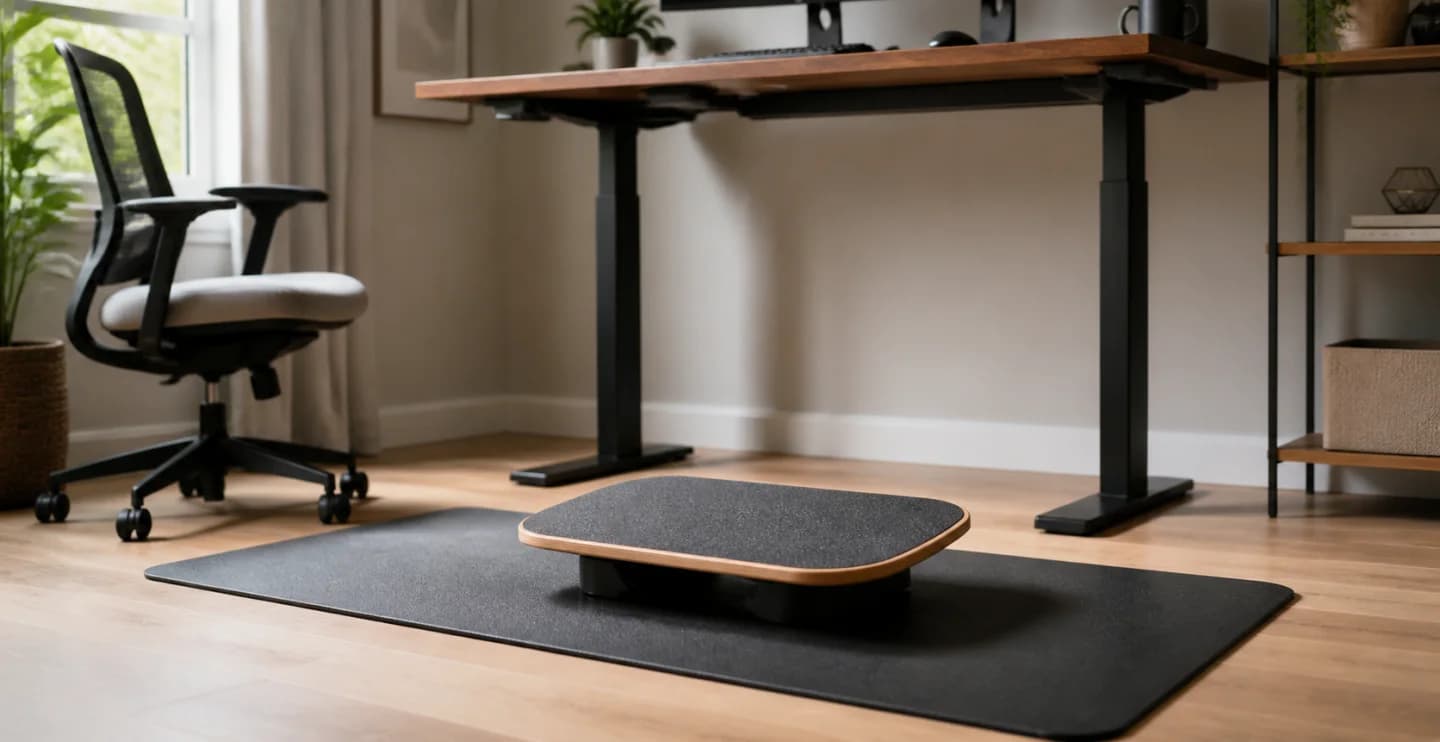
Original editorial image for category, fit, and use context; verify the exact linked product appearance and configuration on the retailer page.
Treat the board as optional movement
Standing still all day is not the goal, and neither is remaining on a balance board for every task. The useful feature is frequent comfortable variation among sitting, standing, short walks, and possibly gentle rocking. If the board distracts from work, increases muscle guarding, or delays breaks, a flat mat and a better posture-change routine may be the more effective purchase.
Choose the least motion that meets the goal
Side-to-side rockers usually provide predictable movement for typing. Front-to-back motion changes ankle demand. Multi-axis pivots require more continuous control and clear space. Compare height and maximum tilt as well as marketing labels. A low deck with limited travel can be easier to step onto, use near equipment, and leave quickly than an athletic trainer.
Fit the deck to stance and floor
Measure a relaxed stance and ensure both feet fit without crowding edges. Check grip with intended shoes and avoid slippery socks unless approved. Test the underside on the actual floor; carpet changes motion and hard floors may need a compatible protective layer. The board should not migrate toward desk legs, pedals, chair casters, or cables.
Rebuild desk height on the new surface
The board raises the body above the floor, so keyboard and screen height may need adjustment. Keep shoulders relaxed, wrists neutral, and the screen placed for the new eye level. Park the chair outside the step-off path and keep a stable support within reach during early sessions. Never use the moving board while the desk itself is traveling.
Progress by response, not endurance
Begin with minutes, not an all-day target, and alternate with stable positions. Stop for pain, numbness, dizziness, swelling, loss of balance, or worsening symptoms. People with injuries, balance disorders, relevant medical conditions, or pregnancy may need clinician guidance. The board is not treatment, exercise prescription, or proof that a workstation is ergonomic.
Current Amazon option
Check this exact product
Adult Balance Board for Standing Desk - Anti Fatigue USA Made 360 Degree Rocker Wobble Board as Exercise Equipment to Increase Focus & Movement - Sustainable Anti-Slip Plane Standing Board
ASIN
B06VSTLM7Z
Brand
FluidStance
Listing checked
8/11/2026
Compare the current title, ASIN, variant, seller, stock, shipping, price, and return path before ordering.
Exact US listing reference. Confirm the selected variation, seller, included parts, live availability, and any applicable recall notice before buying.
Public owner context
Questions to answer before buying
Community discussions help surface installation, fit, maintenance, and failure questions. They are anecdotal context, not product specifications or a substitute for current instructions.
Used to locate real owner questions and failure reports that shape the inspection checklist. Anecdotes are not presented as measured product tests or copied as endorsements.
Research notes
How we evaluated these choices
1.Establish a comfortable stationary sitting and standing setup before adding an unstable surface.
2.Measure natural stance and clear a step-off zone with a stable desk or rail available for initial support.
3.Inspect deck motion, grip, underside, floor behavior, and weight limit for the exact model.
4.Start with brief supervised sessions, vary postures, and record discomfort or productivity effects instead of chasing duration.