Open the exact family listing to compare the live price, availability, delivery, seller, and returns.
Choose a hardware security key by the accounts and protocols that actually support it, USB-A or USB-C, NFC, mobile access, passkey storage or FIDO use, PIN behavior, organization policy, spare-key enrollment, and recovery custody.
Prepared by the Deskwise Picks editorial deskUpdated August 10, 2026
Quick answer
The practical answer
Make an account-by-account support matrix before choosing a key. FIDO2/WebAuthn support, connector, NFC, mobile browser behavior, and organization policy must all match. Enroll at least two approved keys or another tested recovery method before relying on one device, label them without exposing account secrets, and store the spare separately from the primary key.
Common buying question
Which FIDO hardware security key should I buy for work accounts, passkeys, USB-C laptops, and NFC phones?
Existing home-office peripherals do not decide phishing-resistant authentication, resident credentials, PIN and retry behavior, spare enrollment, or account recovery after physical loss.
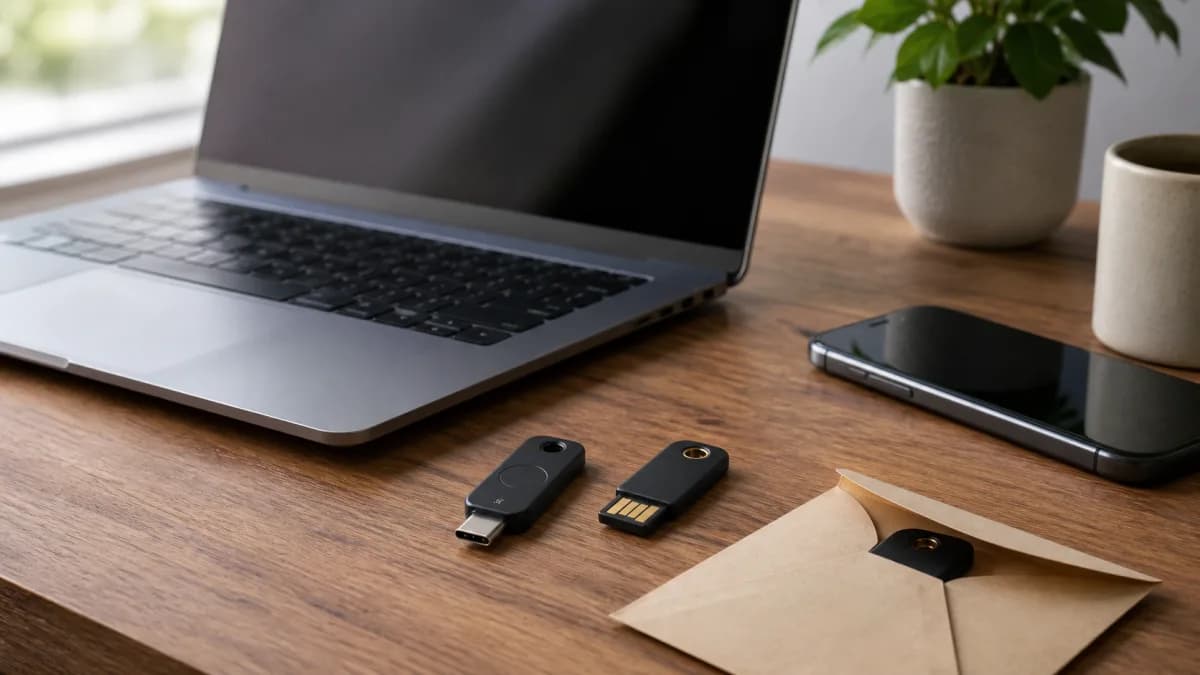
Original editorial image for category, fit, and use context; verify the exact linked product appearance and configuration on the retailer page.
Build the compatibility matrix first
List the accounts that matter most: primary email, work identity, password manager, financial and developer services, device accounts, and recovery email. For each, record whether FIDO2/WebAuthn or security keys are supported, whether an administrator must enable them, which browsers and mobile apps work, and whether the key is used for sign-in, second factor, or passkey storage.
Choose physical interfaces for every device
USB-C plus NFC can cover many modern laptops and phones, while USB-A remains common on desktops and managed equipment. Check port depth, cases, hubs, and whether adapters are permitted. NFC improves phone access only where the service's mobile flow supports it. Avoid making one small adapter the single point of failure for all recovery and travel situations.
Do not equate every black key
Yubico and other vendors sell FIDO-only, multi-protocol, biometric, enterprise, and certified variants that can look similar. Match the exact model number and firmware generation to FIDO, smart-card, OTP, OpenPGP, or organizational requirements. Paying for extra protocols adds no protection if they are not configured, while buying a FIDO-only key will not satisfy an unrelated smart-card policy.
Enroll the spare before tightening the account
Add at least two approved keys where the service allows it, name them clearly in the account, and test each in a fresh session. Store the spare away from the primary key and devices. Generate and secure recovery codes according to the service. Only after recovery works should you consider removing less phishing-resistant factors, and organizational policy may control that decision.
Plan loss, replacement, and handoff
Write a short recovery procedure that identifies the accounts, spare location, administrator contact, and how a lost key is removed. Do not write account passwords on the key. Periodically confirm both keys still work, especially before travel or replacing a phone. A durable key reduces some risks, but physical custody, account hygiene, device security, and prompt revocation still matter.
Current Amazon option
Check this exact product
Yubico YubiKey 5C NFC USB-C and NFC Hardware Security Key
ASIN
B08DHL1YDL
Brand
Yubico
Listing checked
8/10/2026
Compare the current title, ASIN, variant, seller, stock, shipping, price, and return path before ordering.
Community discussions help surface installation, fit, maintenance, and failure questions. They are anecdotal context, not product specifications or a substitute for current instructions.
Used to identify recurring authenticity, authorized-seller, spare-key, and enrollment questions; community comments are not cryptographic or account-support evidence.
How this page was governed
Page-specific editorial method
1.Create a service-by-service matrix using official account and administrator documentation before buying hardware.
2.Choose connector, NFC, and protocol features for the devices and workflows actually used, not the longest feature list.
3.Buy through an authorized channel, inspect packaging and device identity, update supported tooling, and set required PINs.
4.Enroll and test a separately stored spare plus the documented recovery path before removing weaker sign-in methods.