Deskwise Picks
Browse
Meetings

Logitech Litra Glow vs. Elgato Key Light Neo

Official-spec comparison · not hands-on

The shortlist compares current manufacturer documentation, exact models, fit, compatibility, ownership costs, and checkout risks. It is not a hands-on ranking.

Current retailer option

Logitech Litra Glow Premium LED Streaming Light with TrueSoft

Best for laptop and monitor-based video calls in dim rooms. Open the listing to compare the live price, availability, delivery, seller, and returns.

Check current price & availability on Amazon

Current price & availability · purchase link

Product guide

Compare Litra Glow's 250-lumen output with Key Light Neo's power-dependent 400/700/1,000-lumen modes, plus monitor fit, controls and placement for video calls.

Updated October 13, 2026

Litra Glow is a compact choice when modest close-range fill and Logitech G HUB controls suit the desk. Key Light Neo offers more stated output, but its 1,000-lumen mode needs the specified external power supply. Choose from your available power, camera framing and mounting space; manufacturer lumen ratings do not prove how either light will look on your face.

Quick answer

Start with Logitech Litra Glow if your main need is laptop and monitor-based video calls in dim rooms. Compare the trade-offs before buying, especially does not replace task or room lighting.

Direct answer to the buying question

Logitech Litra Glow or Elgato Key Light Neo: which is better for close video calls?

Litra Glow is a compact choice when modest close-range fill and Logitech G HUB controls suit the desk. Key Light Neo offers more stated output, but its 1,000-lumen mode needs the specified external power supply. Choose from your available power, camera framing and mounting space; manufacturer lumen ratings do not prove how either light will look on your face.

Page structure updated August 13, 2026Evidence checked October 13, 2026Reconfirm exact model and current terms
How links work: As an Amazon Associate I earn from qualifying purchases, at no extra cost to you.

Prices, availability, shipping, coupons, and seller details can change. Always confirm the current product listing and return policy before buying.

Quick comparison

Start here if you already know the job you need the product to solve.

1

Logitech

Logitech Litra Glow Premium LED Streaming Light with TrueSoft

Best for

Laptop and monitor-based video calls in dim rooms

Check first

Does not replace task or room lighting

Facts

ASIN B097QZGRCQ · meetings

2

Elgato

Elgato Key Light Neo Black with Monitor Mount

Best for

Dedicated face lighting for Zoom, Meet, Teams, and streaming calls

Check first

Monitor or laptop fit must be checked

Facts

ASIN B0FDBL5MVM · meetings

3

Lume Cube

LUME CUBE Edge 2.0 LED Desk Lamp with USB Charging Port and Circle Webcam Light

Best for

Hybrid task lighting and video-call lighting on a fixed desk

Check first

Larger and pricier than compact video lights

Facts

ASIN B0CN7BK69P · meetings

Compare the current options

Match the exact model, bundle, seller, coupon, and return window before choosing between the picks.

PickKey fit detailsExact listingWhat can changeUpdated
Logitech Litra Glow Premium LED Streaming Light with TrueSoftLight type: Compact diffused face light · Primary use: Video calls and streaming near the cameraASIN B097QZGRCQConfirm ASIN B097QZGRCQ, seller, live price, and availability.July 26, 2026
Elgato Key Light Neo Black with Monitor MountLight type: Edge-lit monitor-mounted video light · Brightness: 400 lm USB-A; 700 lm USB-C; up to 1000 lm with external 3 A supplyASIN B0FDBL5MVMAmazon listing verified ASIN B0FDBL5MVM and Elgato Store bylineSeptember 25, 2026
LUME CUBE Edge 2.0 LED Desk Lamp with USB Charging Port and Circle Webcam LightLight type: Clamp-on LED desk lamp and webcam light · Listed clamp support: Surfaces up to 3.3 inches thickASIN B0CN7BK69PConfirm ASIN B0CN7BK69P, color, clamp fit, seller, and live price.July 26, 2026

Quick picks by situation

Close webcam call with limited power

Start with the lower-output Litra Glow when its USB and mount requirements fit; confirm face exposure with your actual camera.

More output for wider framing

Neo's greater stated output provides more adjustment headroom, provided you budget for the power path that enables it.

Only the included USB-A cable

Plan around Neo's 400-lumen USB-A mode; its higher figures are not the output of that included connection.

Glasses or a reflective screen

Neither light guarantees reflection-free video. Check off-axis placement, camera angle and brightness before buying more output.

Side-by-side checks

Manufacturer specifications: output is not a measured webcam result

PickLogitech Litra GlowElgato Key Light Neo
Published output250 lumens maximum400 lm over USB-A; 700 lm over suitable USB-C; 1,000 lm with specified external power
Power needed for the maximumLogitech specifies a USB 3.0 port5 V, at least 3 A external supply; confirm the exact cable and supply
Colour temperature2,700–6,500 K2,900–7,000 K
ControlsOn-device controls and optional Logitech G HUBOn-device controls and optional Elgato Control Center over Wi-Fi
Mount checkMonitor mount; detachable mount exposes a ¼-20 tripod threadCheck the included monitor stand against screen thickness, webcam and rear clearance

Choose the Neo power path before comparing brightness

Elgato's brightness support article assigns different output levels to USB-A, USB-C and external power. It also states that the USB-C cable and external supply for the higher-output paths are not included. Read the current bundle contents before ordering and use the documented supply and connection. A socket's USB-C shape alone does not prove adequate available power. Elgato's quick-start guidance recommends a direct connection, so do not budget for maximum output through an unverified shared hub.

Do not turn lumens into a face-exposure score

These are manufacturer output specifications, not lux measurements at a fixed distance or a side-by-side camera test. Distance, angle, diffusion, room light and webcam exposure all change the image. More available output can help when the light is farther away, but a close light may simply need dimming. Pick enough adjustment for the actual framing and keep the controls accessible. We have not measured colour accuracy, perceived comfort or video quality for these lights.
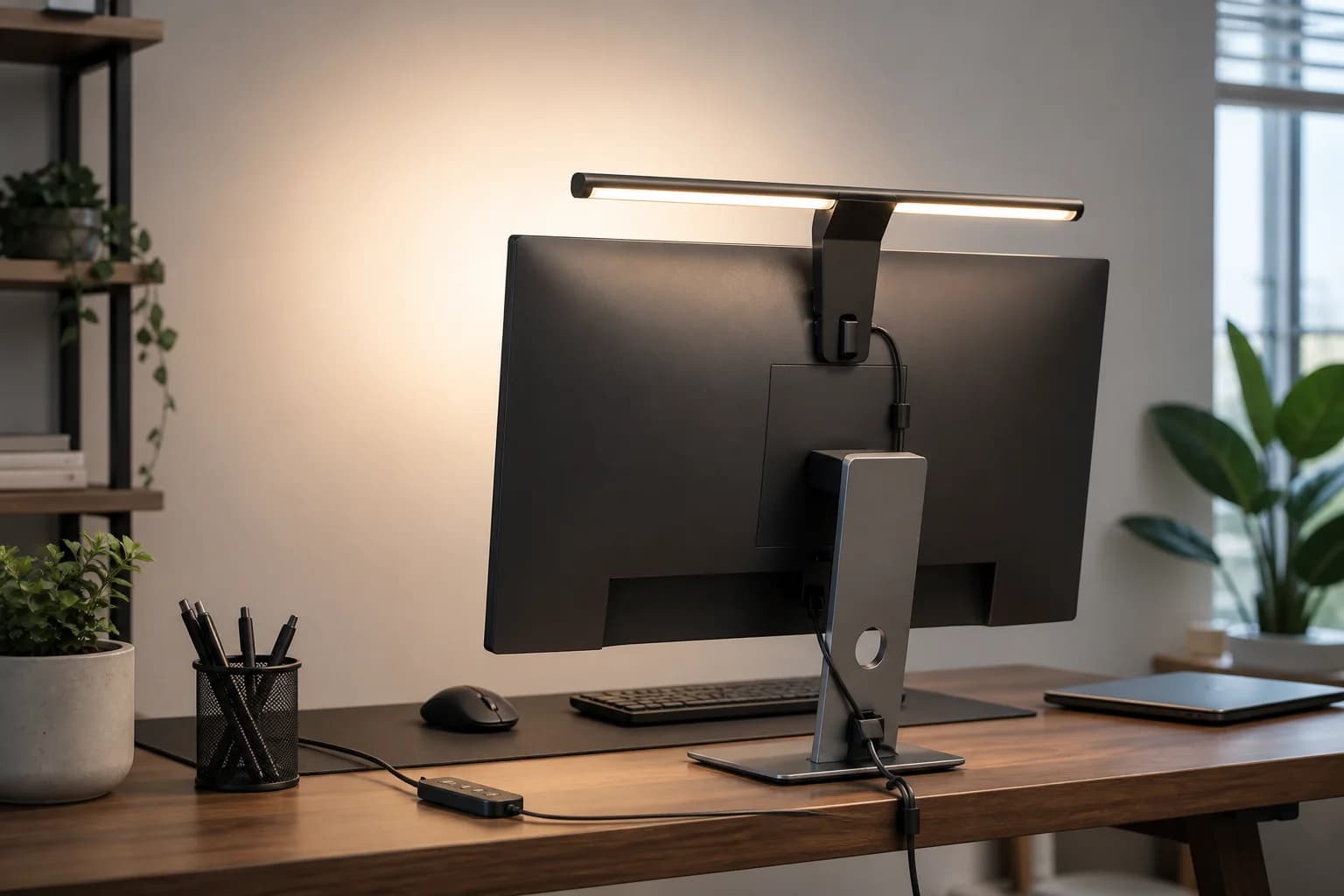
Measure the mount around the webcam

Check the top of the monitor, bezel thickness, rear shape and the existing camera mount. Compare the fixture and mount dimensions with the space available, including cables and screen movement. On a laptop, consider the load and clearance at the display rather than assuming a desktop monitor mount works equally well. Litra Glow's detachable mount provides a documented tripod-thread option; a separate support still needs its own compatible attachment and space.

Control reflections before changing products

A reflection in glasses is partly a placement problem. During a permitted setup check, adjust the light's position and camera angle, then reduce output and inspect the actual call preview. Keep screen reflections and webcam exposure in the same check. This is a suggested procedure for the buyer, not a claim that either product passed our test. If the physical desk cannot accommodate an off-axis position, consider a different mounting arrangement instead of assuming a larger light eliminates glare.

Check the software workflow and full purchase

Litra Glow uses optional G HUB controls; Neo uses optional Control Center and Wi-Fi for its software path. Confirm current operating-system support and workplace installation policy, while keeping onboard controls as part of the comparison. Include any required Neo supply or cable, and verify the exact light model at the linked merchant. The related task-light option serves a different desk-lighting job; do not treat it as a measured winner in this two-product comparison.

How to choose without overbuying

When to spend more

Spend more when calls are part of the job and better lighting or audio reduces repeated meeting friction.

When to spend less

Spend less when room lighting, camera height, or a simple lamp placement can solve the problem first.

Compare these details first

Face lighting
Glare control
Control placement
Desk footprint

Related setup and buying guides

Logitech Litra Glow Premium LED Streaming Light with TrueSoft

Logitech

Logitech Litra Glow Premium LED Streaming Light with TrueSoft

A practical Litra Glow guide covering mount fit, camera placement, glare, controls, power, and whether a compact face light matches the real desk-lighting job.

Best for: Laptop and monitor-based video calls in dim rooms

Main caution: Does not replace task or room lighting
Elgato Key Light Neo Black with Monitor Mount

Elgato

Elgato Key Light Neo Black with Monitor Mount

A monitor-mounted edge-lit video-call light for remote workers who want better face exposure and adjustable color without building a full studio setup.

Best for: Dedicated face lighting for Zoom, Meet, Teams, and streaming calls

Main caution: Monitor or laptop fit must be checked

LUME CUBE Edge 2.0 LED Desk Lamp with USB Charging Port and Circle Webcam Light

Lume Cube

LUME CUBE Edge 2.0 LED Desk Lamp with USB Charging Port and Circle Webcam Light

A clamp-on LED desk lamp with adjustable color, brightness, swing-arm positioning, USB ports, and a webcam-light role for home office calls.

Best for: Hybrid task lighting and video-call lighting on a fixed desk

Main caution: Larger and pricier than compact video lights

FAQ

Is Key Light Neo brighter than Litra Glow on USB-A?

The manufacturers state 400 lumens for Neo's USB-A mode and 250 lumens maximum for Litra Glow. That compares specifications, not measured illumination or webcam exposure at your desk.

Do I get 1,000 lumens from the included Neo cable?

The included USB-A connection corresponds to the 400-lumen mode. Elgato assigns 1,000 lumens to its specified external-power path, with a 5 V supply rated for at least 3 A; confirm the current bundle and required cable.

Which is better when I wear glasses?

Neither is guaranteed to remove reflections. Check position, camera angle and lower brightness in the real call preview; available mounting space matters as much as the output specification.

Sources and methodology

  • Official-spec comparison checked October 13, 2026; no hands-on brightness or camera test
  • Power modes checked against Elgato's brightness support article
  • Mount and control claims checked against manufacturer documentation
  • Suggested buyer checks are procedures, not measured product scores