Deskwise Picks
Browse
Ergonomics

Best Monitor Arm for a Walking Desk: 3 Stable Setups

Compare monitor weight range, clamp support, arm extension, screen wobble, cable slack, and desk stiffness before buying for a walking desk.

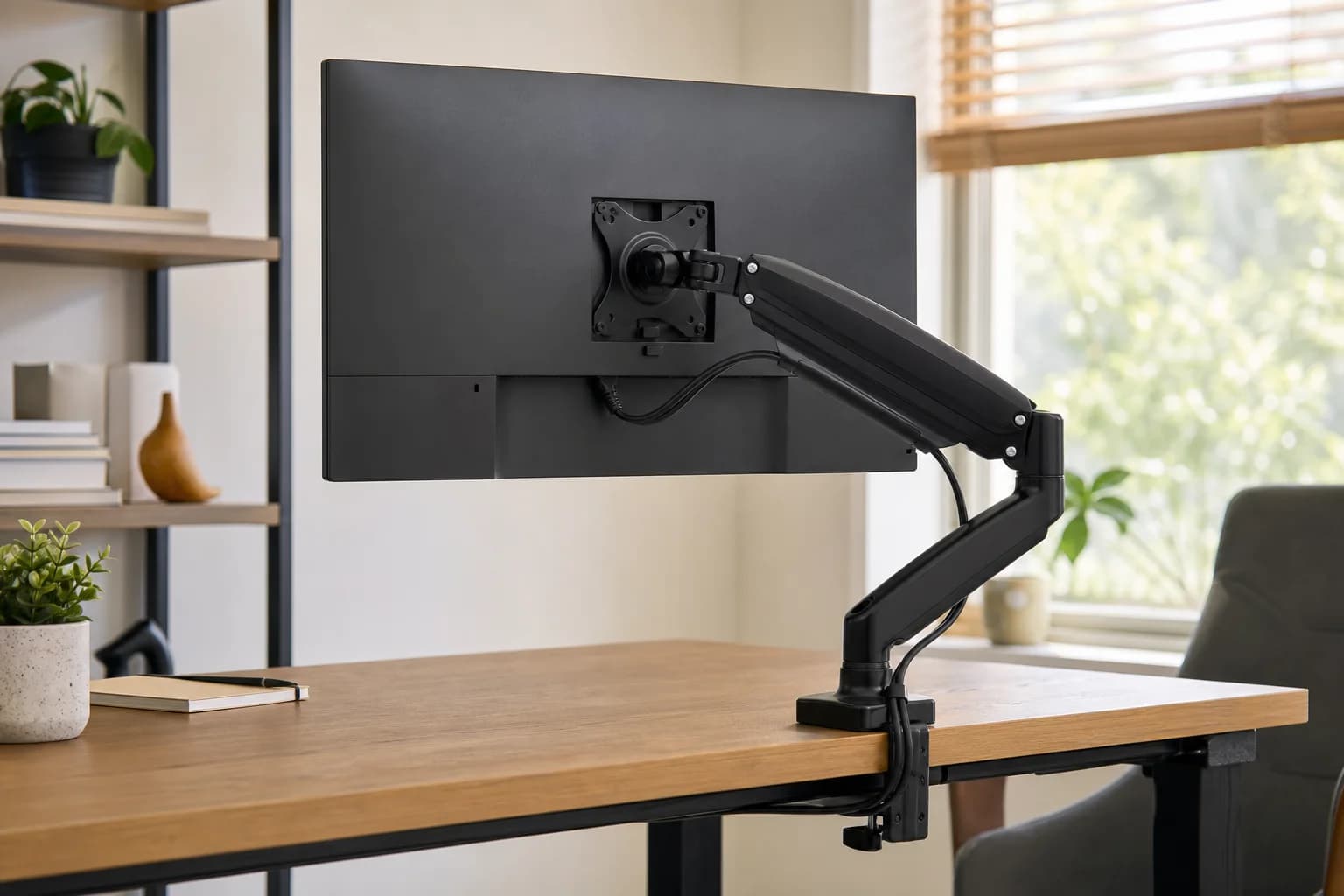
A walking-desk monitor arm is only as stable as the floor, desk frame, desktop, clamp, and screen path below it. Choose the arm after checking monitor-only weight, VESA, clamp clearance, extension, and the pace you can work at comfortably.

Quick answer

Start with Ergotron HX Heavy-Duty Monitor Arm if your main need is heavy ultrawide monitors on strong desks. Compare the trade-offs before buying, especially expensive.

Best starting pick

Ergotron HX Heavy-Duty Monitor Arm

Best for: Heavy ultrawide monitors on strong desks

Skip if: Expensive

Price band: $$$

How links work: As an Amazon Associate I earn from qualifying purchases. Deskwise Picks may also earn commissions from other retailer links. Recommendations are based on use-case fit, specifications, ergonomics, and long-term value.

Prices, availability, shipping, coupons, and seller details can change. Always confirm the current product listing and return policy before buying.
Quick comparison

Start here if you already know the job you need the product to solve.

1

Ergotron

Ergotron HX Heavy-Duty Monitor Arm

Best for

Heavy ultrawide monitors on strong desks

Check first

Expensive

Facts

ASIN B01N5FTCJE · ergonomics

2

HUANUO

HUANUO TitanLift Heavy Duty Monitor Arm

Best for

Heavy single monitors and ultrawides that pass every fit check

Check first

Large screen size does not guarantee compatibility with weight, VESA, or rear-panel shape
Facts

ASIN B0DQ19YC9H · ergonomics

3

Amazon Basics

Amazon Basics Monitor Arm

Best for

Budget buyers with one standard-size monitor

Check first

Less polished than premium arms

Facts

ASIN B0CQXMT3QC · ergonomics

Evidence basis and listing risk

We use manufacturer specs where available, then treat Amazon as a listing-verification step for ASIN, bundle, seller, coupon, and return-window risk.

PickOfficial specsAmazon/listing anchorVersion or price riskUpdated
Ergotron HX Heavy-Duty Monitor Arm1 sourceASIN B01N5FTCJEConfirm ASIN B01N5FTCJE, white finish, standard pivot, and monitor weight.July 1, 2026
HUANUO TitanLift Heavy Duty Monitor Arm2 sourcesASIN B0DQ19YC9HCheck live price and availability on Amazon.June 29, 2026
Amazon Basics Monitor Arm1 sourceASIN B0CQXMT3QCCheck live price and availability on Amazon.June 30, 2026

Quick picks by situation

Heavy or curved display

Start with Ergotron HX after confirming monitor weight, curve adapter needs, and desk strength.

Value heavy-duty option

Compare HUANUO TitanLift when the monitor fits its range and a supported clamp area is available.

Light single monitor

Amazon Basics can fit a simpler setup when weight and VESA stay comfortably inside its range.

Walking stability first

Keep the display close to the post, reduce forward extension, and fix desk wobble before changing arms.

How to choose without overbuying

When to spend more

Spend more when the product affects posture for long work blocks, especially chairs and monitor arms.

When to spend less

Spend less when you already have a comfortable posture and only need a small layout improvement.

Compare these details first

Adjustment range
Body or monitor compatibility
Return policy
Long-session comfort
Ergotron HX Heavy-Duty Monitor Arm

Ergotron

Ergotron HX Heavy-Duty Monitor Arm

An Ergotron HX fit guide covering its listed 20–40 lb range, VESA support, pivot choice, desk strength, clamp fit, and walking-desk stability.

Best for: Heavy ultrawide monitors on strong desks

HUANUO TitanLift Heavy Duty Monitor Arm

HUANUO

HUANUO TitanLift Heavy Duty Monitor Arm

A HUANUO TitanLift fit guide covering its 44 lb limit, VESA support, large-screen range, clamp clearance, desk strength, and walking-desk stability.

Best for: Heavy single monitors and ultrawides that pass every fit check

Amazon Basics Monitor Arm

Amazon Basics

Amazon Basics Monitor Arm

A budget monitor arm for home offices that need better screen height without a premium accessory spend.

Best for: Budget buyers with one standard-size monitor

FAQ

Is a heavy-duty arm automatically stable on a walking desk?

No. Desk flex, lifting columns, floor movement, clamp position, and arm extension can dominate the result.

Should I use a dual monitor arm?

Only when the shared post and desktop can carry the combined leverage. Two independent arms can make weight and position easier to isolate.

How do I reduce screen wobble?

Level and tighten the desk, move the screen closer to the post, reduce extension, add safe cable slack, and slow the walking pace before replacing hardware.